

The Best RGB Macro Keypad for Photoshop & Video Editing — Hot Swap, Custom Knob, Full RGB
Your Keyboard Has 104 Keys. You Use 12 of Them.
Think about the shortcuts you reach for every day. Copy. Paste. Undo. Brush up. Brush down. Play. Pause. Volume. That's maybe 10 to 12 keys — out of 104. The rest of your keyboard is dead space that you navigate past, contort your hand around, or ignore entirely.
Now think about how many times a day you reach for those 12 keys. Hundreds? Thousands? Every time you switch from your mouse to your keyboard and back, you're breaking your flow, changing your grip, losing momentum.
That's exactly what a macro keypad solves. It puts your most-used shortcuts in one compact, programmable device — positioned exactly where your off-hand can reach them without moving from your mouse. For anyone who uses keyboard shortcuts heavily — photographers, editors, designers — it's one of the highest-impact productivity upgrades you can make for under $50.
What Is a Macro Keypad?
A macro keypad is a small, programmable keyboard — typically 3 to 12 keys — that you configure to send any keystroke, shortcut combination, or multi-step script with a single press. Instead of pressing Ctrl+C, you press one key. Instead of reaching for Ctrl+Z, you press another.
It sits beside your main keyboard, or to the left of your mouse if you're right-handed. It's always within reach of your off-hand. You never have to move your primary hand away from what you're working on.
Most macro keypads are fully programmable — you assign any shortcut, macro, or script to any key using dedicated software. Some support hot-swappable switches so you can change the feel of the keys. Some have RGB lighting. The best ones combine all of these features in a compact, travel-friendly form factor.
What Makes This One Different — The Custom Knob
Most macro keypads are just a grid of keys. This one adds something genuinely useful: a rotary encoder knob on the right side.
The knob is programmable just like the keys — assign it to any function that benefits from rotation rather than a simple on/off press:
- In Photoshop or Lightroom: brush size, zoom level, layer opacity, canvas rotation
- In Premiere Pro or DaVinci Resolve: timeline scrubbing, volume, playhead position
- In Excel or Google Sheets: cell navigation, zoom, scroll
- In any app: volume control, zoom, scrolling through a document
Rotate left, rotate right, press to confirm. One knob replaces what would otherwise be a combination of keys. And because it's fully programmable, you can change what it does depending on which app you're in.
Hot-Swap Switches — Because the Right Feel Matters
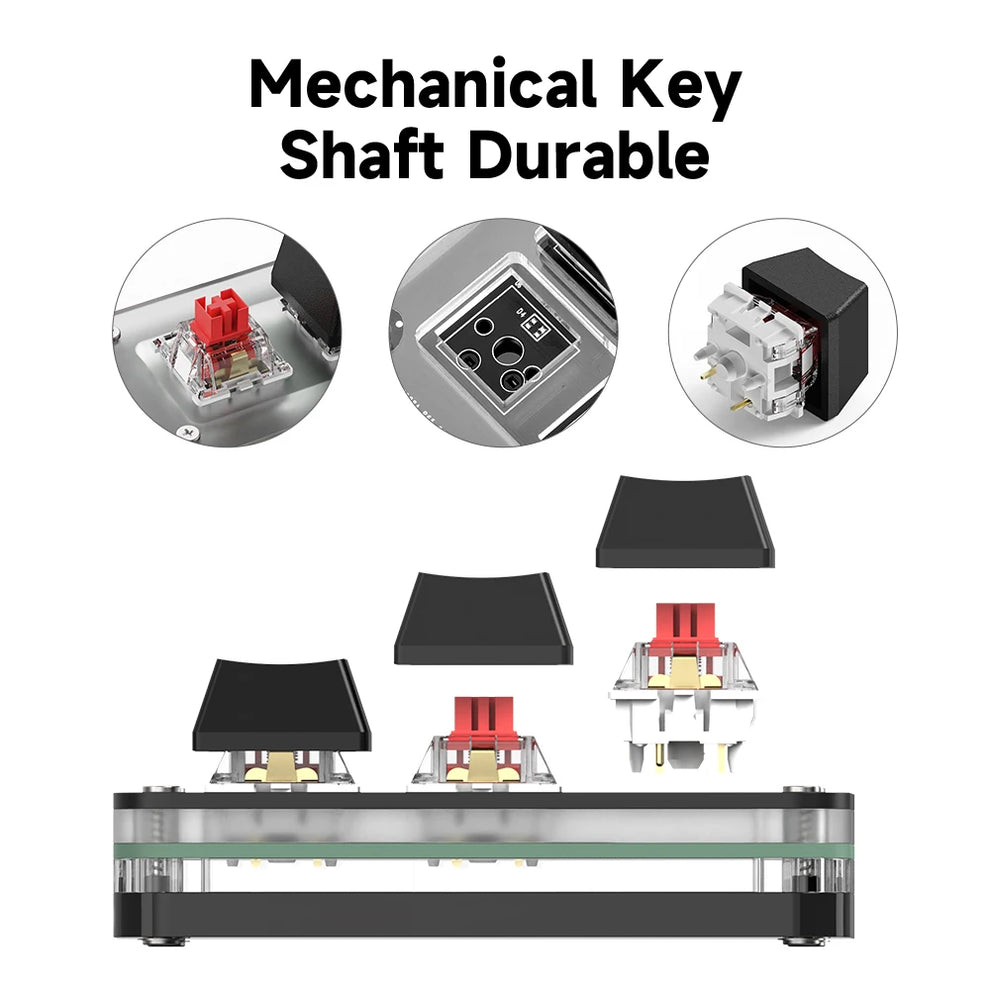
The switches pre-installed are OUTEMU red switches — linear, smooth, and quiet. They register on the way down with no bump and no click, which makes rapid, repeated keystrokes feel effortless. If you're executing macros or shortcuts dozens of times a minute, that smoothness matters.
But the real advantage is the hot-swap socket: you can pull out any switch and replace it with a different type — clicky blue, tactile brown, or another red — without soldering, without tools, without voiding a warranty. If your preferences change, the keypad adapts with them.
RGB Lighting — Yes, It Actually Matters
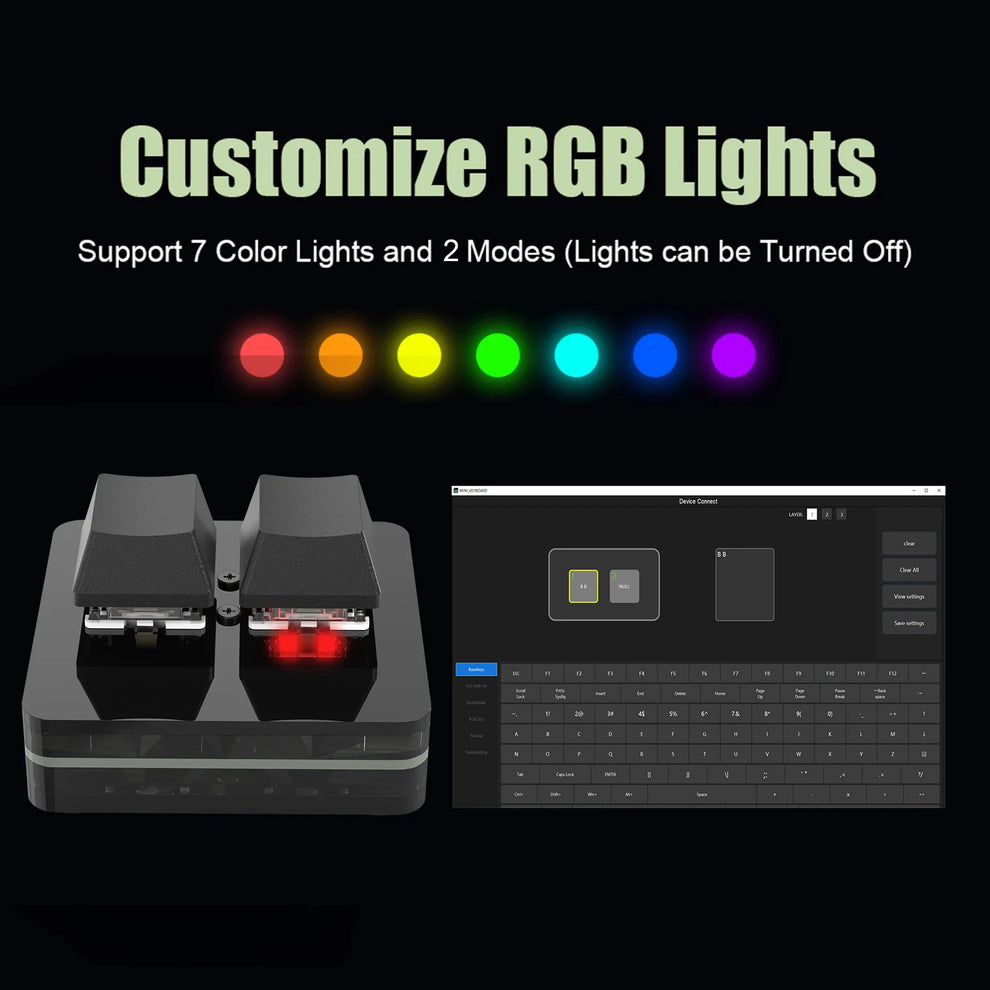
RGB on a gaming peripheral is easy to dismiss as pure aesthetics. But on a macro keypad, it serves a practical purpose: visual feedback. With 7 colours and two modes — gradient or illuminated-on-press — you can configure the lighting to show you exactly which keys are active, which macros are running, or which profile you're in.
More practically: it looks excellent on your desk. If you spend hours in front of your setup, a cohesive RGB aesthetic makes the space more enjoyable to work in. This keypad delivers that without being overpowering or distracting.
Setting It Up — Easier Than You Think
One concern people have with macro keypads: the setup sounds complicated. It isn't.
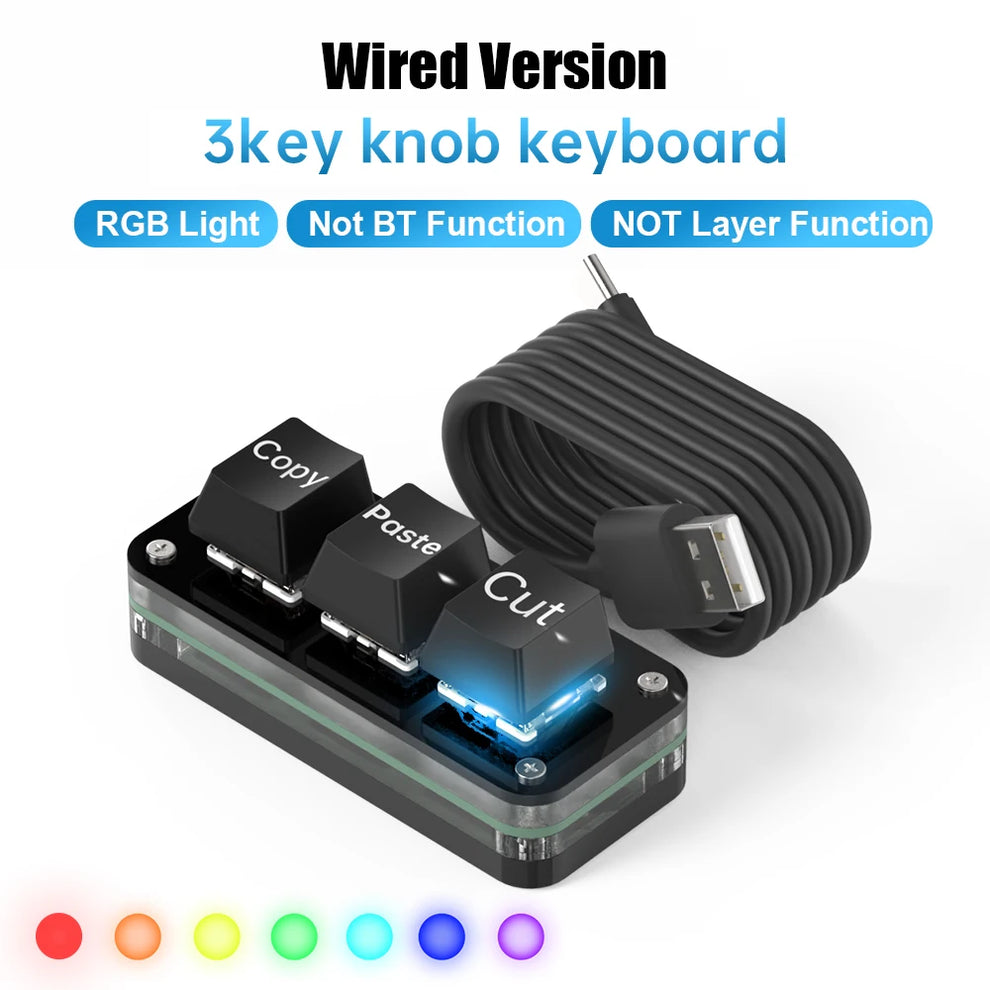
Out of the box, this keypad comes pre-loaded with Copy and Paste as the default key functions — plug it in and it works immediately. No software required for basic use.
To customize, you download the software (link in the product listing), connect the keypad via USB-C, and assign functions to each key and the knob. The software lets you:
- Assign any keystroke or shortcut combination to any key
- Program multi-step macros triggered by a single press
- Set the knob function (rotation left, rotation right, press)
- Configure RGB lighting modes and colours
- Save multiple profiles — one for Photoshop, one for video editing, one for general use
Setup note: The keypad works as a standard input device immediately upon plugging in. Software is only needed to customize functions. Compatible with Windows 7 and above. For Mac, initial setup requires a Windows machine — after configuration, the keypad works with macOS. Compatible with iOS and Android via USB-C connection.
Who Is This For?
If any of these describe you, a macro keypad is genuinely useful — not a gimmick:
- 📸 Photographers who use Lightroom or Photoshop — brush size, zoom, layer switching, undo
- 🎬 Video editors — timeline navigation, play/pause, volume, clip selection
- 🎨 Graphic designers — zoom, layer management, tool switching, undo/redo
- 📊 Spreadsheet power users — cell navigation, formatting shortcuts, macros
- 🎮 Streamers — chat emotes, scene switching, media controls
- ⌨️ Anyone tired of stretching to reach keyboard shortcuts while their mouse sits idle
Specs at a Glance
- Keys: 3 programmable keys + 1 rotary knob
- Switches: OUTEMU Red (hot-swappable, MX-compatible)
- Backlighting: RGB, 7 colours, gradient + illuminated-on-press modes
- Connection: USB-C (cable included)
- Software: Download from listing, Windows/Mac/iOS/Android
- Default functions: Copy and Paste (works out of the box)
- Programming: Shortcuts, macros, scripts, media controls, text snippets
- Form factor: Compact, lightweight, travel-friendly
Is It Worth It?
At the price point of a mid-range mechanical keyboard, you get:
- A keypad that's dedicated entirely to your workflow
- Hot-swappable switches that adapt to your preferences over time
- A custom knob that replaces reaching for a keyboard combination dozens of times a day
- RGB lighting that looks good and provides visual feedback
- Full programmability — set it up once, use it for years
Most people who try a macro keypad say the same thing: they didn't realize how much time they were losing to reaching across their keyboard until they stopped.
Final Verdict
If you use keyboard shortcuts extensively — whether for creative software, productivity apps, or gaming — a compact macro keypad with a custom knob is one of the most impactful hardware upgrades you can make. It's not about adding more keys. It's about putting the right keys exactly where you need them.
The hot-swappable switches, full RGB customisation, and fully programmable knob make this a macro keypad that's built to last and adapt as your needs change.
👉 Shop the RGB Macro Keypad — YiGadget
Fast shipping. 30-day returns. No risk.