YiGadget
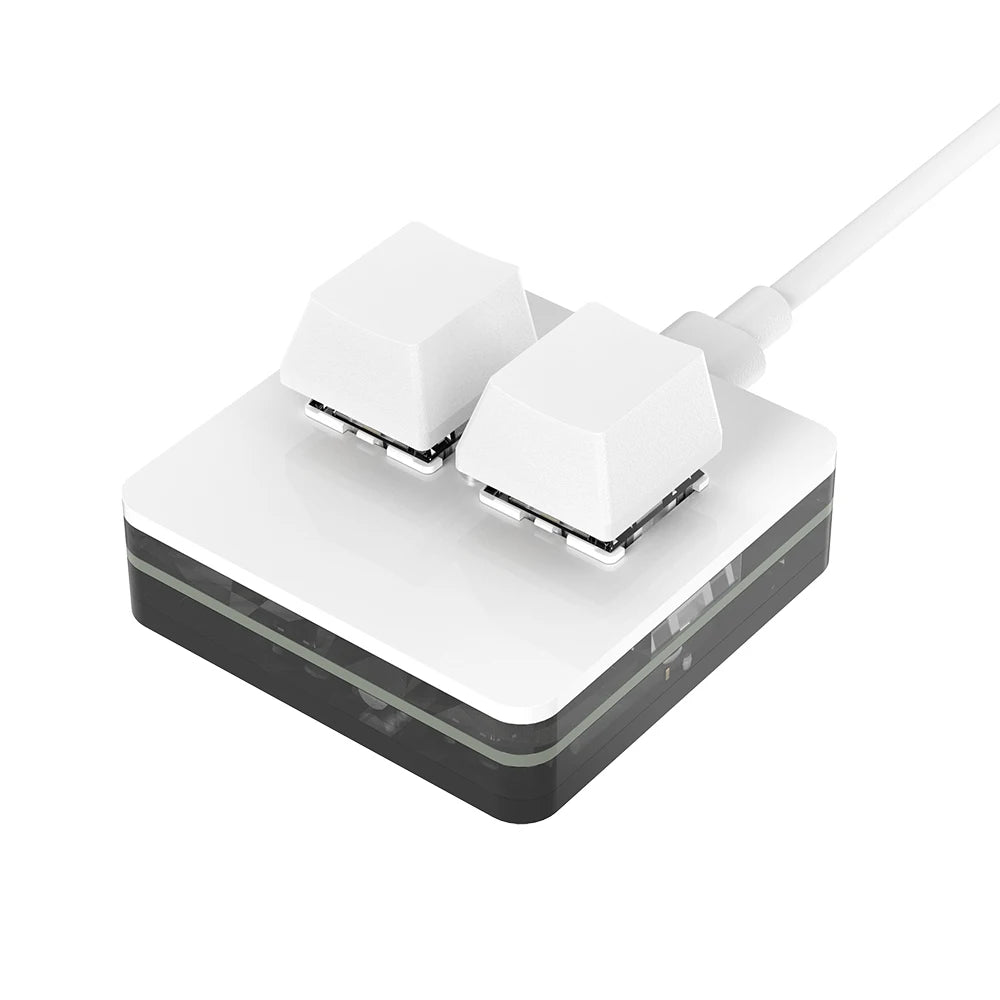
RGB Macro Keypad | 3-Key Hot Swap Mechanical Keypad with Knob, OUTEMU Red Switches, Custom Macro Programming for Photoshop & Multimedia
RGB Macro Keypad | 3-Key Hot Swap Mechanical Keypad with Knob, OUTEMU Red Switches, Custom Macro Programming for Photoshop & Multimedia
Couldn't load pickup availability
Your Keyboard. Exactly How You Want It.
Every creative professional has a set of shortcuts they use dozens of times a day — copy, paste, undo, brush up, brush down, play, pause. Reaching for the full keyboard every time breaks your flow. The RGB Macro Keypad puts those shortcuts exactly where you need them: on a compact, programmable keypad that fits beside your mouse or on the left side of your keyboard.
It's not a full keyboard. It's an extension of how you work — built around your shortcuts, your software, your workflow.
🎛️ Custom Knob — Control at Your Fingertips
The rotary knob on this macro keypad is the feature that makes it genuinely powerful. Assign it to whatever function you need most:
- 🎨 Photoshop / Lightroom — brush size, zoom level, layer opacity, canvas rotation
- 🎬 Video editing — timeline scrubbing, volume, play/pause, clip selection
- 📊 Excel / Sheets — scroll through cells, zoom, tab switching
- 🔊 Any app — volume control, zoom, scrolling, undo/redo
Rotate left or right, press to confirm. One knob, any function you assign. The knob is fully programmable through the same software as the keys — set it up once and it stays configured for your workflow.
🔴 Hot-Swap OUTEMU Red Switches — Linear, Smooth, No Friction
The pre-installed OUTEMU red switches are linear switches — no tactile bump, no audible click. They register on the way down with minimal force, which means fast, repeated keystrokes feel smooth and effortless. Ideal for rapid macro execution and for anyone who finds clicky or tactile switches fatiguing during long work sessions.
The hot-swap socket means you can pull out a red switch and replace it with any other MX-compatible switch — blue, brown, or another red — without soldering, without tools, without voiding a warranty. If your preferences change, your keypad adapts.
🌈 Full RGB Backlighting — Build Your Setup
7 colours. 2 lighting modes — gradient (all keys fade through colours) or illuminated-on-press (each key lights up only when activated). The result is a macro keypad that looks as good as it performs:
- 🌑 Gradient mode — smooth colour transition across all keys; ambient, atmospheric
- 💡 Illuminated-on-press — reactive; only the active key lights up, creating a visual feedback effect
- 🎨 7 colours — red, green, blue, yellow, cyan, magenta, white — or mix them in gradient mode
RGB on full brightness, RGB on dim — you control the intensity in the software.
⌨️ Macro Programming — Set It Once, Use It Forever
The software (download link in the listing) gives you full control over every key and the knob:
- Copy/Paste defaults pre-installed — works out of the box
- Custom shortcuts — assign any key combination to any key
- Macro scripts — multi-step sequences triggered by a single keypress
- Media controls — volume, play/pause, next/previous track
- Text snippets — type full sentences or addresses with one key
Setup note: Software requires a USB-C connection to your computer. The keypad works as a standard input device out of the box — software is only needed for custom programming. Compatible with Windows 7 and above, macOS (set up in Windows first), iOS, and Android.
🧩 DIY — Keycaps, Switches, Layout
The hot-swap design and standard MX-compatible socket means you can fully personalize this keypad over time:
- Swap keycaps to match your keyboard aesthetic
- Replace switches with a different feel (silent, tactile, or clicky)
- Change the knob function as your software needs evolve
📦 What's in the Box?
- 1 × RGB Macro Keypad (3 keys + rotary knob)
- 1 × USB-C Cable (for connection and software setup)
- 1 × Keycap puller (for swapping keycaps)
- 1 × Spare OUTEMU switch (pre-installed)
Note: Software download links are provided in the listing. USB-C cable required for software programming. Mac setup requires initial Windows configuration — see listing for OS switching guide.
❤️ Why Customers Love It
- ⭐⭐⭐⭐⭐ "The knob alone is worth it — brush size in Photoshop without reaching for the keyboard. Game changer."
- ⭐⭐⭐⭐⭐ "Hot swap switches are great. Tried red, now on browns — changed in 5 seconds, no soldering."
- ⭐⭐⭐⭐⭐ "Compact, solid, RGB looks great. Programming was easier than I expected — set it up in 10 minutes."
Fast Shipping · Secure Checkout
Your order ships within 1–2 business days. Secure payment via Shopify.
Buy with confidence. Click Add to Cart now.